Author: knguyen

  • HW5 Summary

    Time Log – time spent on other students’ sites:

    Date: Jan. 30, 2026, From 9:00pm to 9:15pm

    Date: Jan. 31, 2026, From 8:30pm to 9:00pm

    Date: Feb. 2, 2026, From 7:15pm to 7:30pm

    Date: Feb. 7, 2026, From 3:00pm to 3:30pm

    Date: Feb. 7, 2026, From 11:20pm to 11:55pm

    Date: Feb. 8, 2026, From 0:01am to 0:20 am

    Date: Feb. 8, 2026, From 1:30am to 2:00 am

    Part I: Describe your menu structure and what you have implemented in your CMS

    My menu structure includes a home button which takes the user to the homepage, which is simply linked to my IP address. The IT Trends page was created with a submenu linking to the posts explaining what CMS, docker container and virtual host service are. If the users decide to click on the text IT Trends, the website takes them to a page with a list of the same three posts as viewed under the submenu. Similarly, the “My Life” submenu allow users to navigate to “My Career” and “My Hobbies” posts. Another navigation page was created for homework assignments sorted by weeks, starting from week 3 to week 5. The HWs page has submenus for each week and each week has a further submenu with links to all the website/post created for the class.

    Homepage

    IT Trends

    My Life

    My Career

    My Hobbies

    HWs

    HW5

    Part II: Discuss what new contents you have added. Provide all the links of new contents.

    I have added two new posts, “My Career” and “My Hobbies”. My career post is a short summary of my professional career in the aerospace industry. My Hobbies post provides a discussion of what I enjoy doing outside of school and work with images taking by me during these activities. These two new contents are placed under My Life navigation page in the header section. They are also linked under “About” in the footer section. This HW5 summary post is also a new content, which includes a time log of the date and amount of time that I spent on other students’ websites.

    Links to new contents:

    HW5 Summary

    My Career

    My Hobbies

    Part III: Discuss what you have developed and achieved in managing categories/tags.

    I have added a tag cloud under just above the footer of my home page. This tag cloud includes all the tags that I have added to all of posts on my website. The sizing of the tags is determined by the number of times that the tag was used. These tags are also added individually to each post based on relevance to the topic.

    I have also created four categories, including IS 5320 Assignment 3 and 5, My Hobbies and My Career categories. A list of categories is added to the main homepage, allowing the users to view all posts under same category in one click.

    Part IV: Describe how you use category search for visitors (i.e., side search bar) and tag cloud plugin.

    A search bar was added to the homepage just under the header navigation bar. This search bar allow the users to type in key word to search for related posts. For example, if the user type in the word “hiking” into the search bar and hit search, the website will display search result with content from My Hobbies post.

    Tag cloud plugin was not activated due to compatibility issue with the web server. I attempted to activate tag cloud plugin as shown in the assignment video instruction. Unfortunately, this led to unstable connection where I had to reboot my AWS EC2 instance and reset my CMS webpage.

    I did add a tag cloud feature that was built in to the theme. This is a static list of tag placed just above the footer. These tag links works similarly to key words used in the search bar. When the user clicks on a tag, the website will display all the content related to the tag. For example, under the tag “Content Management System”, there are three related posts with topics on CMS, container docker and virtual host service.

    References:

    “Week 5 Lecture: Web Analytics.” SeattleU, uploaded by James Lee, 5 Jan. 2026, seattleu.instructure.com/.

    “Week 5 Assignment Part I: Web Analytic Tool.” SeattleU, uploaded by James Lee, 5 Jan. 2026, seattleu.instructure.com/.

    “Week 5 Assignment Part II: Navigation in CMS.” SeattleU, uploaded by James Lee, 5 Jan. 2026, seattleu.instructure.com/.

    “How to Install Google Analytics in WordPress for Beginners.” WPBeginner, 17 Oct. 2025, www.wpbeginner.com/beginners-guide/how-to-install-google-analytics-in-wordpress/.


  • My Hobbies

    I enjoy going hiking in the summer for nature and scenery of alpine lakes. Currently, school and work keep me busy but if I have free time on the weekend I like to learn new cooking recipe or watch television series and just spend time with friends and family.

    I don’t have very many unique hobbies but I like trying new things and gain new experiences, whether it be trying new food from a different culture or traveling to a new town. The picture above was taken during my trip to Hawaii when I went skydiving. It was a very memorable once in a lifetime experience and the scenery of the island from above was definitely one of the best views I’ve ever seen in my life.

  • My Career

    I am a mechanical engineer with over five years of work experience in design development. I am currently working as a Structural Design Engineer on wing leading/trailing edges and winglet team for Boeing 737 program. Prior to joining the airframe team, I have also worked in payloads where I was responsible for designing interior commodities including windscreen, closet, partitions, class dividers, etc. I find engineering challenging but also rewarding because there is always something new to learn and I enjoy getting to understand how things work.

    Image from Marissa Nall via Puget Sound Business Journal

    Before Boeing, I’ve also worked for a smaller company called Sekisui Aerospace where I was involved in design development for a 777 passenger to freighter conversion program. As a design engineer, I get to work on the initial concept development and follow through the entire process from manufacturing to installation of the final products, supporting production as well as airline customer in troubleshooting in-service issues.

  • What is CMS (WordPress)?

    Image from Jose Albert via WordPress Blog

    CMS WordPress is a content management system that allows users to build their own websites to post and manage blogs. WordPress started as a blogging platform but have evolved to support business content and e-commerce stores. The platform offers multiple options for non-technical as well as technical users to launch websites using the WordPress host server or using their own private server. WordPress is the largest content management system in the world and manages about one-third of all websites.

    WordPress CMS Features

    Image by Katherine White via Kanopi Studios Website

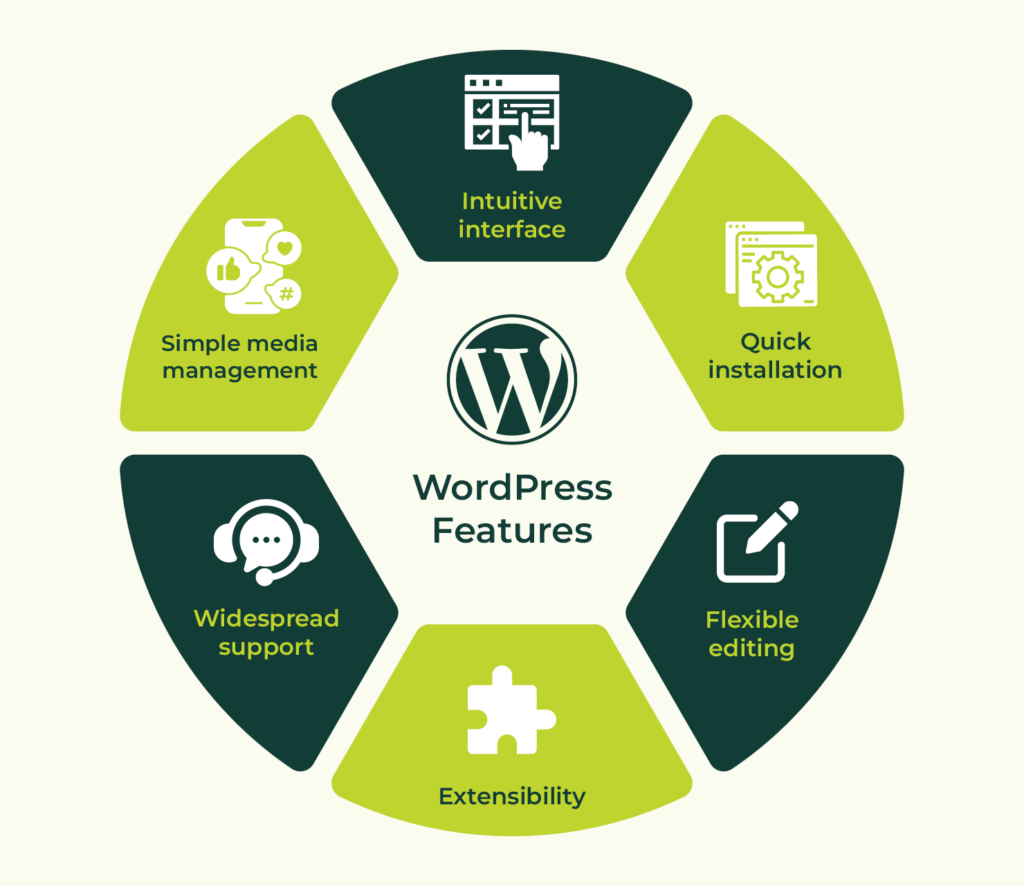
    CMS WordPress offers a list of default features for building basic websites, such as theme customization, media management (upload images, videos, etc.), blog editor and search engine optimization (SEO). The platform is built for flexibility through the use of plug-in features for enhanced customization. WordPress also has built-in security features such as automatic plug-in updates, web application firewall to block malicious attacks, and log-in authentication to prevent unauthorized access to web content.

    Advantages of using CMS WordPress

    Image from InfoWind Technologies

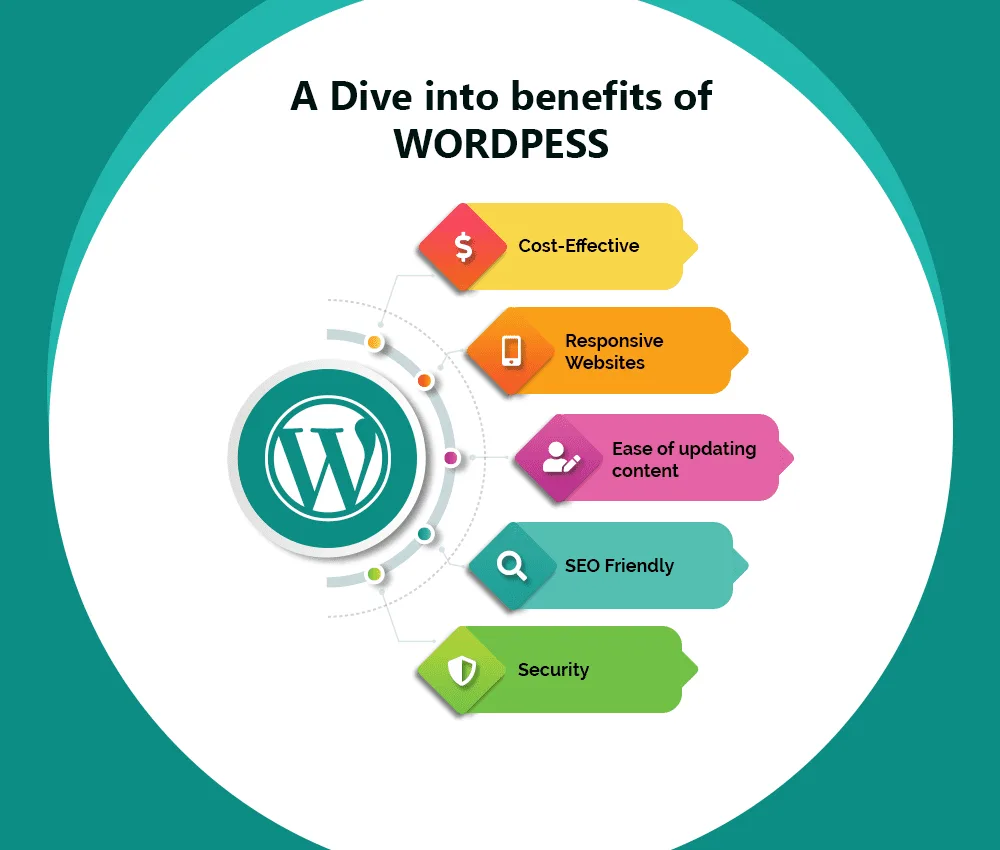
    CMS WordPress provides a user-friendly and cost-effective approach for managing content for a wide range of application, from personal blog, e-commerce, membership websites to online courses. CMS WordPress is an open-source platform, meaning that many of the themes and plug-ins are free to install. The only costs associated with keeping the websites live are hosting and domain costs. The platform has a strong community of support with available resources to help guide new users in building their websites. CMS WordPress content is supported by different types of devices, including smartphone and tablet. Web content can be scaled up easily to add pages and plug-ins for more functionality. Websites hosted by WordPress are discoverable by search engines, which helps to improve visibility and network traffic, making it a great tool for growing small businesses.

    References:

  • What is Container (Docker)?

    Image from Nick Janetakis Blog

    A docker container is a software package that contains all the files (codes, libraries, settings, etc.) that an application needed to run. Docker containers can be run on any physical or virtual machine using docker engine. Containerization is a reliable process for deploying and testing software that ensures compatibility with other machines configuration settings.

    How does Docker Container Work?

    Image from geeksforgeeks

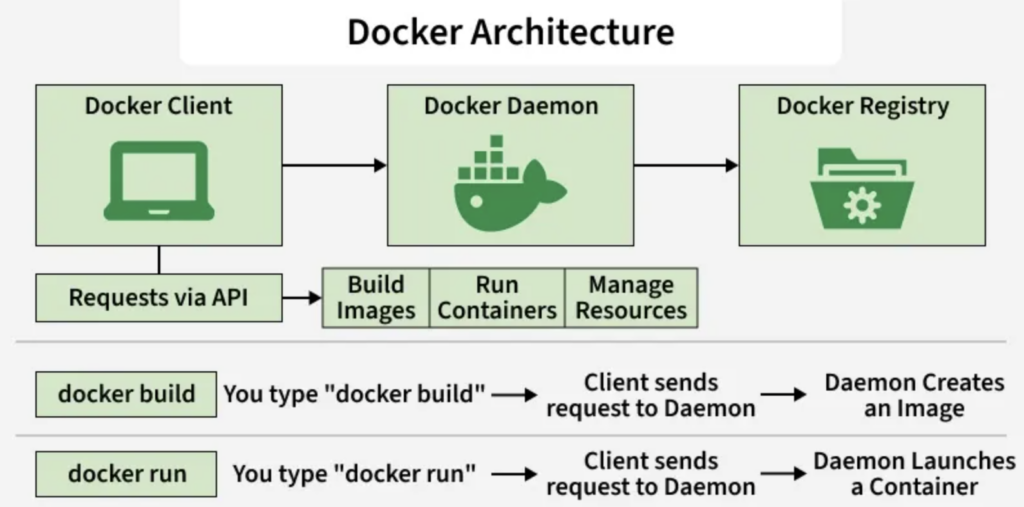
    The process starts with defining a docker file, a document that contains the application’s content and all the instructions for how to build a docker image, install and configure the application. A container engine is then used to create a docker image, which is a read-only portable image to be stored in the docker registry. When a user executes the docker run command, the docker engine launches the container as an isolated process in the host machine, allowing better control and management of resources.

    Benefits of Using Docker Containers

    Image from Brian Andrus via DreamHost Website

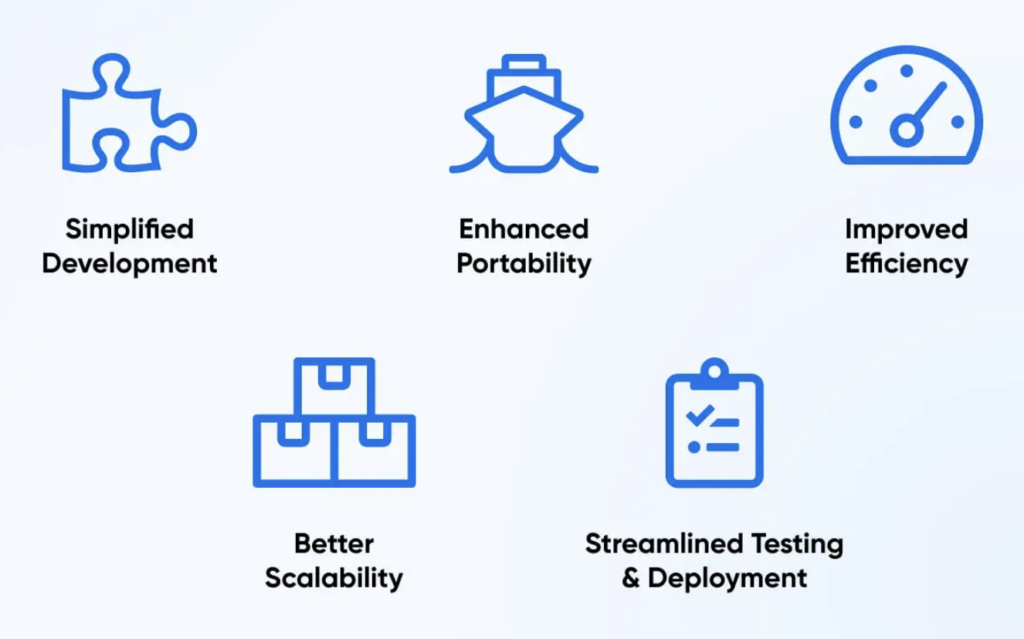
    Docker containers are widely used in software development to help streamline testing and deployment process. It allows developers to create an environment for testing without worrying about compatibility or impact to the production environment. The advantage of using docker containers is that it is resource efficient. These containers are lightweight and use fewer resources compared to virtual machines because they are able to share the same host machine operating systems (kernel). Docker containers can be replicated and scaled horizontally, adding or removing instances, due to their lightweight nature. They are designed for portability and can be run across different environments, from testing to production and clouds, with consistent and reliable software performance.

    References: