Category: IS 5320 Assignment 3

  • What is CMS (WordPress)?

    Image from Jose Albert via WordPress Blog

    CMS WordPress is a content management system that allows users to build their own websites to post and manage blogs. WordPress started as a blogging platform but have evolved to support business content and e-commerce stores. The platform offers multiple options for non-technical as well as technical users to launch websites using the WordPress host server or using their own private server. WordPress is the largest content management system in the world and manages about one-third of all websites.

    WordPress CMS Features
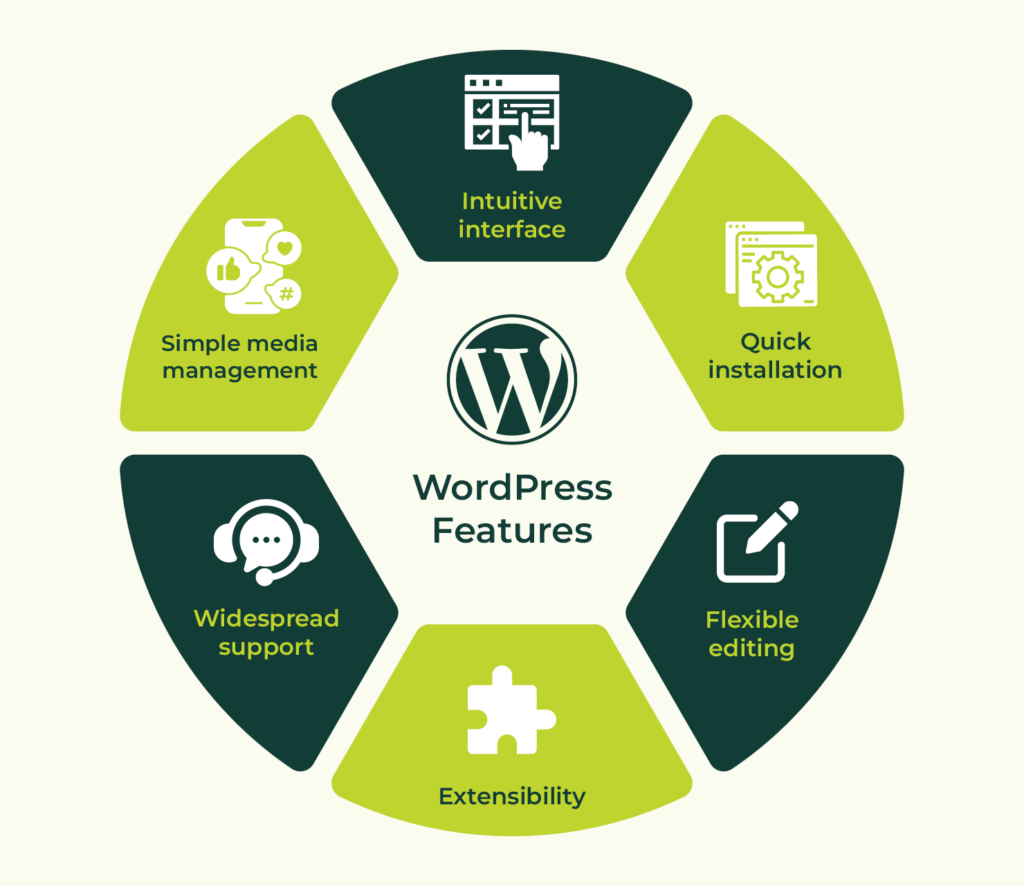
    Image by Katherine White via Kanopi Studios Website

    CMS WordPress offers a list of default features for building basic websites, such as theme customization, media management (upload images, videos, etc.), blog editor and search engine optimization (SEO). The platform is built for flexibility through the use of plug-in features for enhanced customization. WordPress also has built-in security features such as automatic plug-in updates, web application firewall to block malicious attacks, and log-in authentication to prevent unauthorized access to web content.

    Advantages of using CMS WordPress
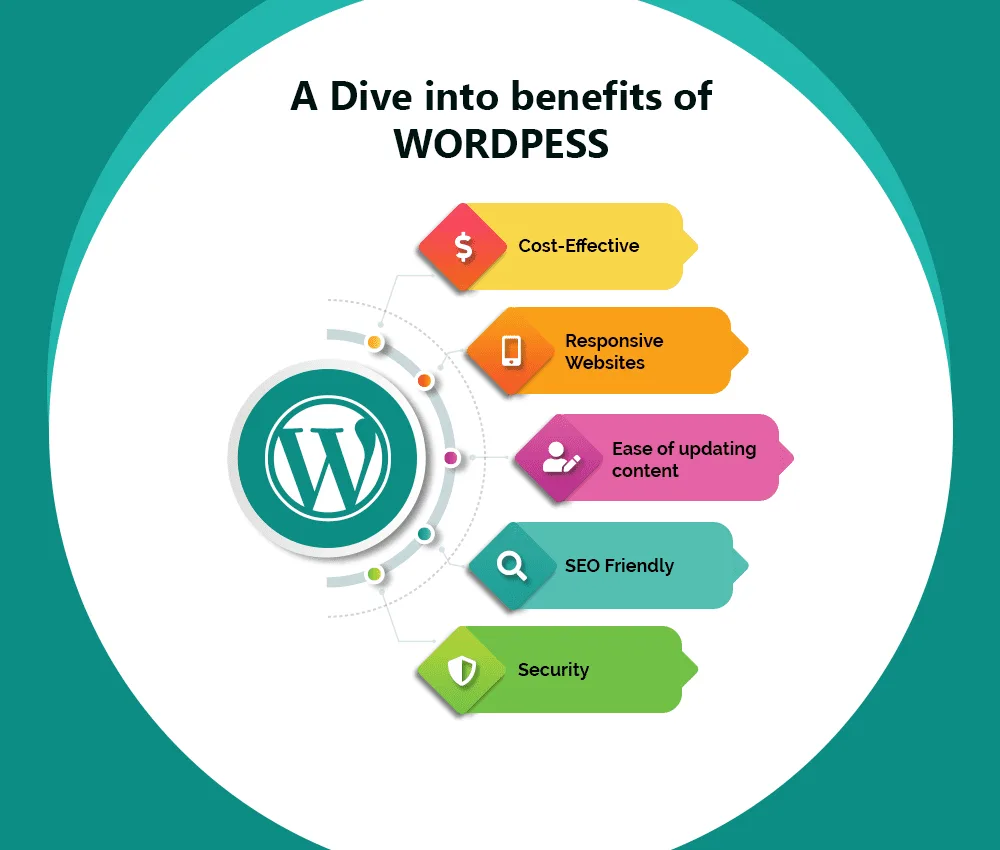
    Image from InfoWind Technologies

    CMS WordPress provides a user-friendly and cost-effective approach for managing content for a wide range of application, from personal blog, e-commerce, membership websites to online courses. CMS WordPress is an open-source platform, meaning that many of the themes and plug-ins are free to install. The only costs associated with keeping the websites live are hosting and domain costs. The platform has a strong community of support with available resources to help guide new users in building their websites. CMS WordPress content is supported by different types of devices, including smartphone and tablet. Web content can be scaled up easily to add pages and plug-ins for more functionality. Websites hosted by WordPress are discoverable by search engines, which helps to improve visibility and network traffic, making it a great tool for growing small businesses.

    References:
  • What is Container (Docker)?

    Image from Nick Janetakis Blog

    A docker container is a software package that contains all the files (codes, libraries, settings, etc.) that an application needed to run. Docker containers can be run on any physical or virtual machine using docker engine. Containerization is a reliable process for deploying and testing software that ensures compatibility with other machines configuration settings.

    How does Docker Container Work?

    Image from geeksforgeeks

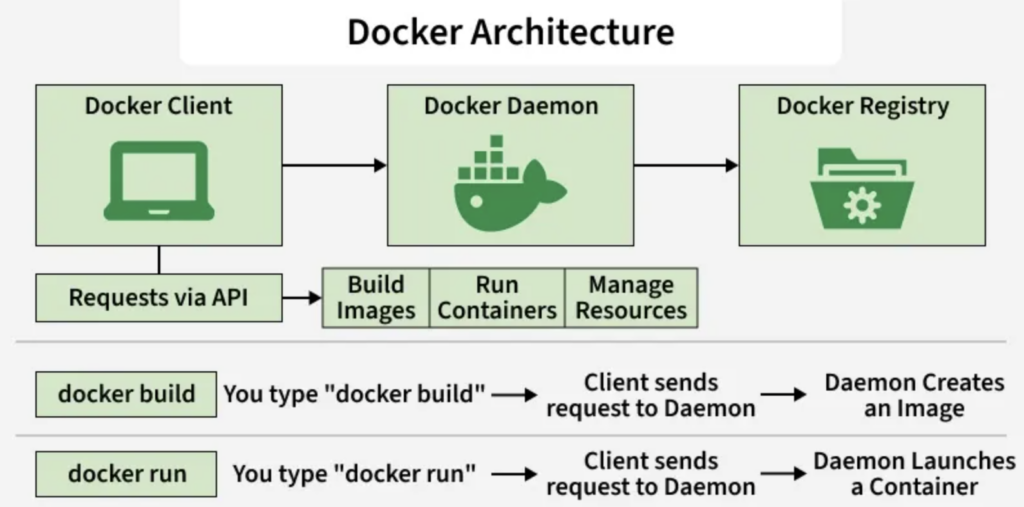
    The process starts with defining a docker file, a document that contains the application’s content and all the instructions for how to build a docker image, install and configure the application. A container engine is then used to create a docker image, which is a read-only portable image to be stored in the docker registry. When a user executes the docker run command, the docker engine launches the container as an isolated process in the host machine, allowing better control and management of resources.

    Benefits of Using Docker Containers

    Image from Brian Andrus via DreamHost Website

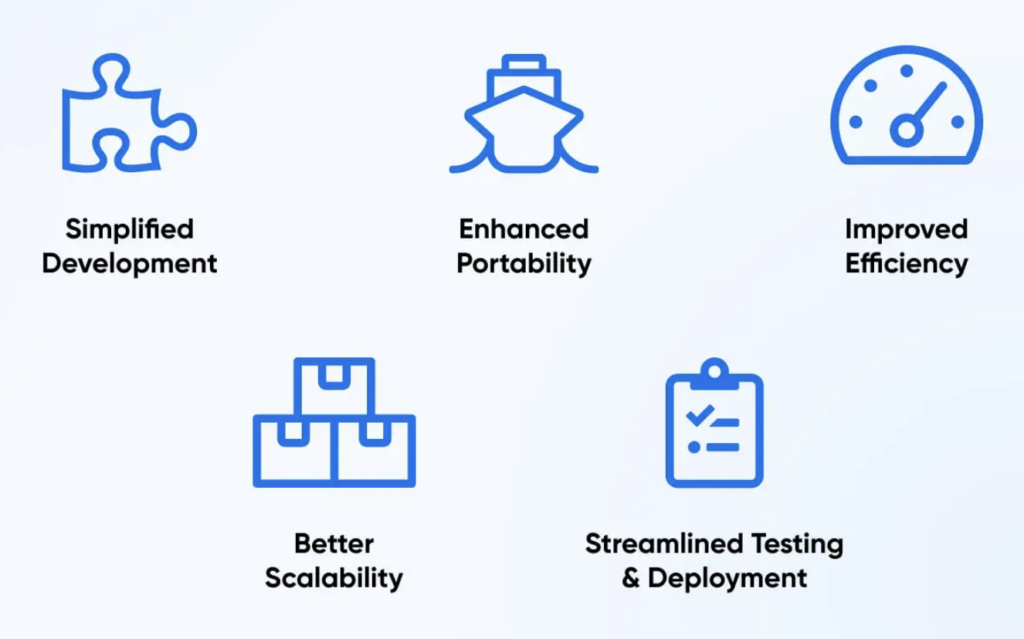
    Docker containers are widely used in software development to help streamline testing and deployment process. It allows developers to create an environment for testing without worrying about compatibility or impact to the production environment. The advantage of using docker containers is that it is resource efficient. These containers are lightweight and use fewer resources compared to virtual machines because they are able to share the same host machine operating systems (kernel). Docker containers can be replicated and scaled horizontally, adding or removing instances, due to their lightweight nature. They are designed for portability and can be run across different environments, from testing to production and clouds, with consistent and reliable software performance.

    References:

  • What is a Virtual Host Service?

    Image from Fusion IT Millennia Website

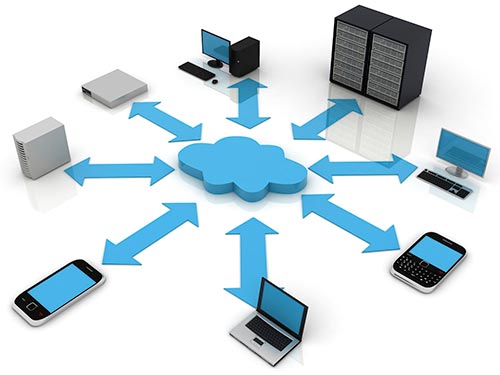
    A virtual host service is a web hosting technique where a single virtual server is configured to run multiple applications/websites. The term host often refers to the physical machine, whereas the term virtual server refers to the virtual machine that is run on the physical machine. This concept was developed in the late 1990s and quickly became an effective tool for managing and maintaining websites to maximize resource utilization.

    There are a few different ways to configure virtual hosting, including IP-based hosting, name-based hosting and port-based virtual hosting. IP based hosting is the simplest method where different unique IP addresses are used to host different websites. Name-based hosting is the most common way used globally. In contrast to IP-based hosting, this method allows one IP address to make connection with multiple websites using multiple hostnames. The less common method is port-based virtual hosting. This method allow the websites are accessed through different ports such as 8080 or 8081.

    Benefits of Virtual Hosting

    Image from Ashwin S. via HOSTAFRICA Website

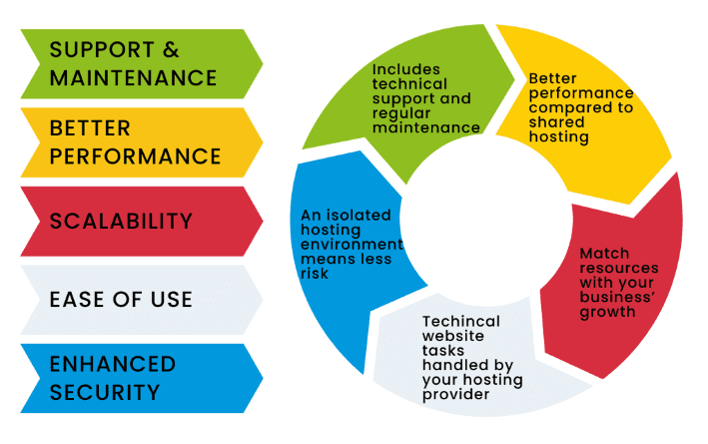
    One of the benefits of virtual hosting is that it is cost-efficient. Multiple virtual servers can live in a single physical host, thus reduces hardware investment cost. This technique also helps to reduce operational cost by reducing physical footprint and the need for maintenance system for data center. Another advantage of virtual virtual hosting is that it offers scalability and flexibility by allowing upgrade and adjustment of resources without the need for additional physical machine. Virtual environment is able to support an increase in capacity for a single virtual machine (vertical scaling) as well as an increase in number instances of virtual servers (horizontal scaling). Other benefits of virtual host service are that it enhances web security and customization of the server configuration. Users have access to administrative tasks and are able to install software or customize their websites. Each virtual machine lives in its own environments, preventing viruses or other security thread from spreading into other servers or to the physical machine.

    References: